Credits checkout & SMS editor
A simpler way to use credits at checkout, the SMS editor on Message Prefs, and a CSV of the old values on every bulk meal edit.
Simpler & faster credits-based checkouts
Customers now apply credits at checkout with a single Apply Credits to Order button:
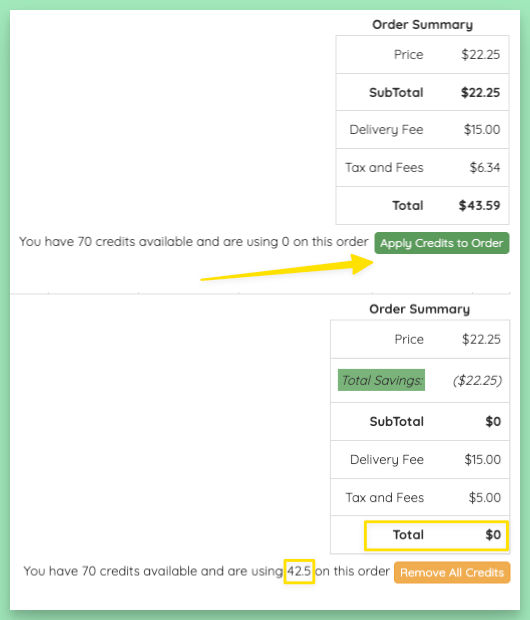
It will apply the max credits needed for the order, up to the customer's available balance. It even supports using credits towards most fee types — no more need for a customer to pull out a card to pay a delivery fee or add a driver tip when they can cover with credits.
The new button has actually been in place for some time, but the legacy per-meal +/− credit buttons are now gone. Very few customers still used the old +/- buttons, and account and plans pages have been updated to point customers at the new button.
Save $ with the new SMS editor
The new SMS editor created for editing canned SMS replies is now on Message Prefs too.
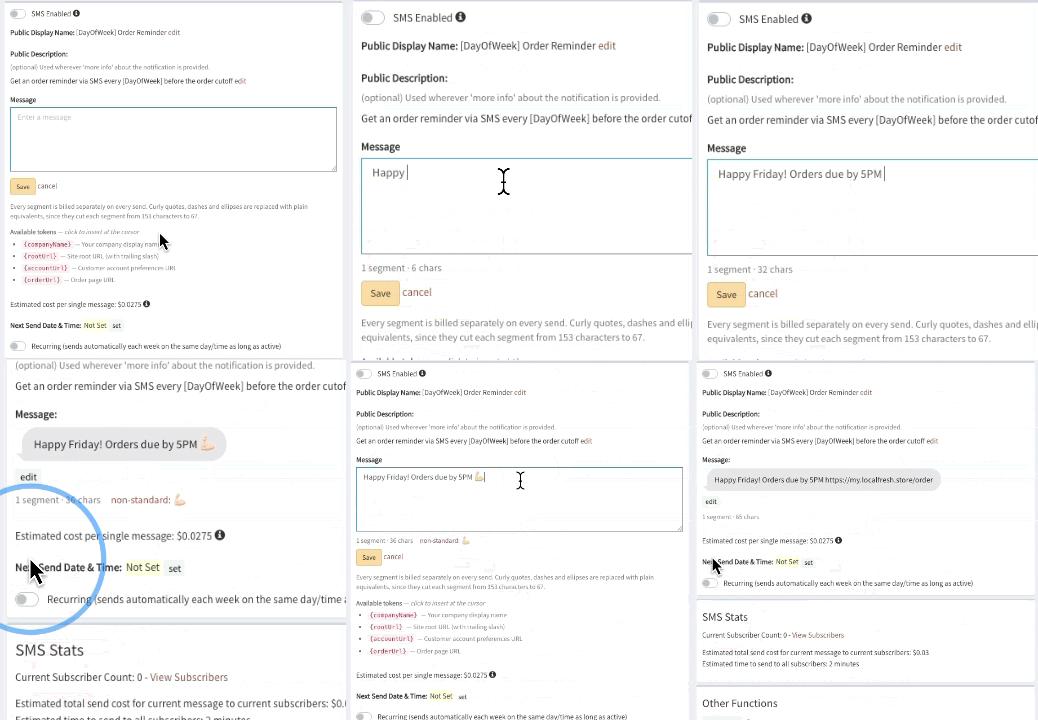
With this editor, you get:
- Segment and character counts tracked as you type, so you always know whether a text will split and by how much.
- A warning for characters that make a text cost more, so it's easy to see what's driving the send cost up.
- Click-to-insert tokens — your company name, a link to your site, the order page, or the customer's account page. They're filled in when the message sends. Personalization may get added as an option here too.
Also, if you find yourself hunting for the Save Changes button, it is gone... each field now saves as you change it.
Bulk Meals Editor: Auto-export + better UI
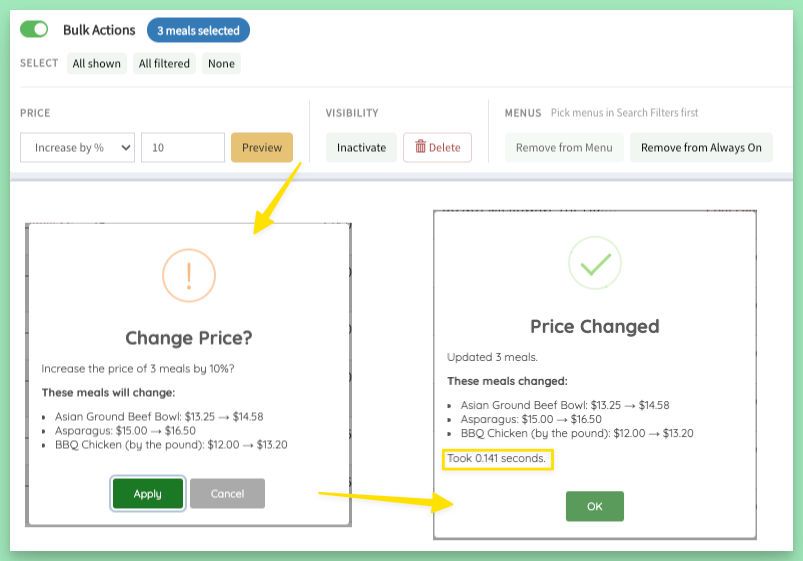
A few changes went in to make bulk pricing on the meals dashboard even better:
- Every Apply downloads a CSV of the values before the change. If a bulk edit wasn't what you meant, you have the old numbers to check or put back.
- Before anything changes, a confirm lists every meal it will touch, with the old and new price side by side. After, you get a summary of what actually changed.
- The bulk actions are now one compact bar that stays at the bottom of the screen while you scroll.
- Remove from Menu now asks you to pick the menus first, so a bulk removal only touches the menus you chose — never an old one.
A few other updates...
- Billing holds are easy to spot. Customers on a failed-payment hold now show on the admin dashboard, on their plan page, and in the plans action-items filter. Failed payments also show the date they were tried.
- Re-enabling a disabled customer account now restores their email, so emails from your site and newsletter signup work for them again. Manage Customer also shows the real reason when an address is blocked.
- Deleted pending orders are kept for 60 days behind the scenes. In the (very rare) case that you need to know a customer's deleted pending order, we can now retrieve it for you within that window.
- Order status on the customer's account now uses your site's own "completed" wording, and shows Order Placed until then.
- The quick-add button now stays on a meal whose add-ons have only one possible selection, so customers can still add it in one tap without opening the More Info modal first.
- Long links in testimonials no longer run off the edge of the card.