Platform Update: Mapbox Integration, Blackout Schedules, Enhanced Cron Jobs, and New Meal Customizations Editor
Here's the latest round of updates to the Eat Fresh platform!
Google Maps ➡️ Mapbox
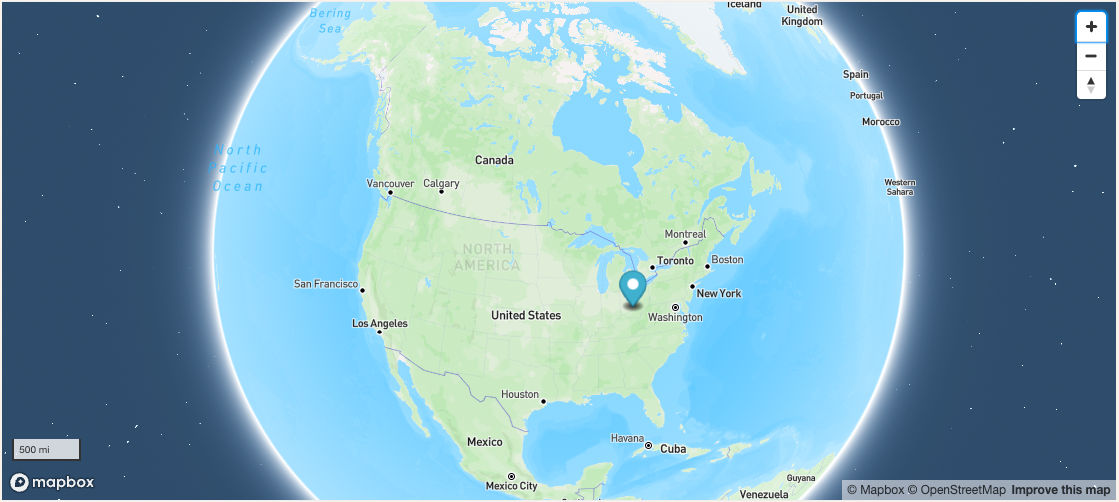
We've switched from using Google Maps for the maps showing pickup locations to a service called Mapbox. This change was motivated by our constant goal for improvement and to provide you with an even smoother and more efficient user experience. We're seeing faster loading with Mapbox, especially when you have a large number of pickup locations. After loading all your locations, the map will auto-zoom to keep them all in view. There's even a fun 3D world globe zoom-in effect - have you spotted it?
Blackout Schedules
Need to disable a delivery schedule for a particular menu? Perhaps you've seen this option before! This feature is now updated to clearly show if a change removed all valid delivery schedules. There's also an easy way to revert back with one click.

New Meal Customizations Editor
Those of you that make extensive use of the customizations options on meals have probably already noticed this change! We've added a custom new editor for managing customizations that makes it easy to view/add/edit the available options. Bonus - it's much, much faster. ⚡
Video unavailable
Cron Job Improvements & Monitoring
We've made several major improvements to our internal cron job system:
Frequently-recurring jobs are now restarted automatically if they become stalled or interrupted for some reason. This affects jobs that run every hour or every minute: for example, the jobs that rotate menus and clear old pending orders.
Jobs now support unique timezones and Daylight Savings Time (DST) changes. Previously, we had to manually adjust runtimes to account for your timezone and DST settings. 😅
We've added 2 additional layers of monitoring including an external monitor for the less frequent jobs (for example, the one that creates weekly pending orders for customers on a plan). This means if one of your jobs fails to run at the designated time, we'll be notified immediately so it can be reviewed and addressed as needed.
What does this mean for you? Just consider it part of our continued effort to ensure a seamless and worry-free experience for you.
BTW, if you're asking what exactly is a cron job? — A cron job is like an automatic scheduler that a computer system uses to perform certain tasks at specified intervals. Imagine it like a digital assistant that helps complete routine actions, such as sending an email reminder, backing up files, or updating essential data in the background. You tell the cron job when and how often you want these tasks to be done, and it ensures they're taken care of without you needing to remember or manually perform them each time.
Other Items
Fixed an issue that prevented the new customer email from being sent in some circumstances
Fixed an issue with the geocode parser that caused an error when adding/updating some addresses (note, we'll be updating the geocoder to use Mapbox soon and expect to see more improvements there also)
💪🏻
That's all for this update! If you have any questions or feedback, please reach out to us anytime via the chat widget.