Highlighted improvements and fixes from the prior month, including updates to Labels, User Management, SMS Opt-Ins, Mobile Styles, Plans, Portions Editor, and more...
New "Save Toggles" option
Enables you to save the current label toggle selections as the new default
Tip: Adjust the Consume By & Prep Dates in Admin Settings
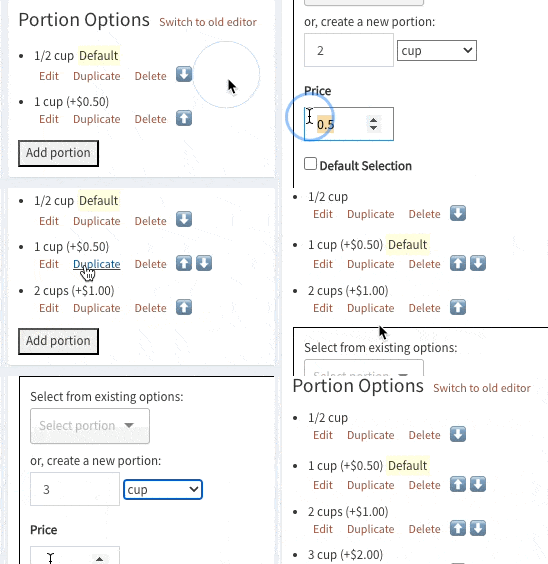
New editor for managing Meal Component Portion Options
Easily manage portion options for custom meal components. Duplicate, move up/down, set a different default option, and more.
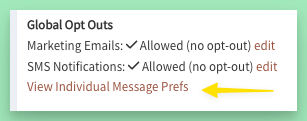
Customer Message Prefs added back
Access from User Management > Customer Profile to view all preferences for a single customer
Or access from Message Prefs to view the single preference for all customers
User Management
- Links to detail records for all record types moved to left for consistency and easy access
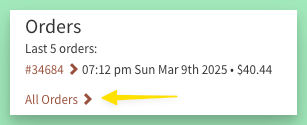
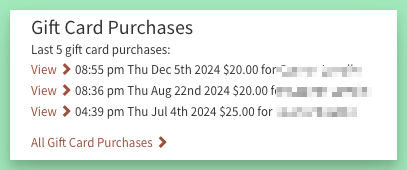
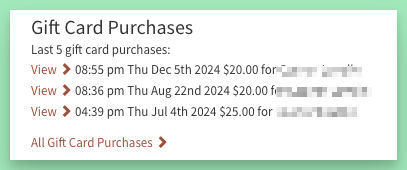
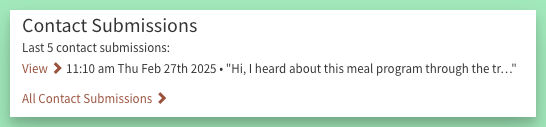
- Can now easily view all records for a customer with new "All" links (includes Meal Plan Purchases, Pending Orders, Orders, Payments, Gift Card Purchases, Contact Submissions)
- New section in User Management: Gift Card Purchases
Includes gift cards created automatically via a Promotion
- New section in User Management: Contact Submissions
Tip: The contact form page can be added to any site on a Standard plan or higher
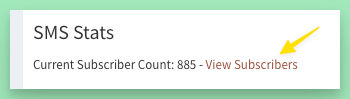
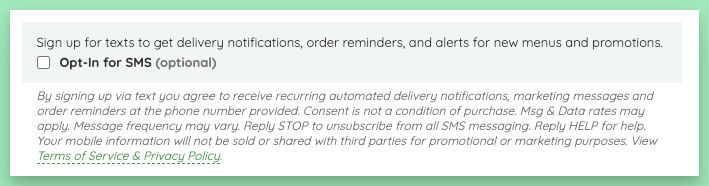
Continued adjustments to SMS opt-in messaging, including this new highlighted opt-in
Tip: Terms of Service can be modified from the admin; access via the Pages tab or Content > Terms of Service
Improvements
- New, simplified, editors for new Meal Portions & new Meal Components
- New detailed view for Meal Plan Purchases (access from User Management)
- Contact Submissions: added quick link to customer if they were logged in when submitting the form
- Voucher Purchases: added clipboard copy link for voucher code
- improved some auto-scrolling on the order page (removed or reduced delays and animations)
- improved the mobile styles for the "Order Cards" view of the Orders Report - improved mobile styles for label selection options
- improved mobile styles for the edit quantity feature on order confirmation
- decreased the delay for auto-hiding site notices; removed delay when clicking the Update Now button
- more consistent colors across admin buttons and links
- recurring meal plans are no longer automatically paused when a renewal fails
- show credits on account page if enabled for site, even if not using credits-style plans
Fixes
- fixed check for discounts on Customer Profile in Admin
- fixed link to customer from Voucher Purchase: will now only show link if customer was logged in when purchasing
- fixed an issue with logged out user pending orders: If a user is logged out and starts an order, then logs in, their order should transfer to their account. If their logged in account already has an existing order, it will not be overwritten.
- fixed overflow on full site home page on extremely small devices - fixed overflow on meal image select on small mobile devices
- fixed an issue with the Fees form - fixed an issue that could occur when doing a Repeat Order while using impersonation - fixed an issue with a discount alert showing multiple times when a logged in user with an applied discount logs out and the discount no longer applies - fixed an issue with the html editor that could cause long lines to not wrap - fixed an issue with admin meal edit image (still) sometimes showing 2 image selects