Feb 2025 Update

update

Read on for highlighted improvements and fixes from the last month, including updates to Pages Dash, Editable Content, Terms & Privacy Pages, SMS terms & opt-ins, Checkout, Recipes, Discounts, and more...


Pages

- the Pages dash has been upgraded, with a lot more detail:
  • added name, description, slug, and link to published/live URL
  • optional, but disabled/inactive pages now also shown
  • split into 3 sections, with optional pages you can control at the top

- a combined Terms of Service and Privacy Policy page is now included for all sites
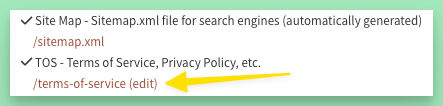
- content on some pages is now editable (look for the "edit" link)
Image #1

Tip: Editable content can be found under the Content tab in your admin. Some content (editable messages) are under Manage Site > Settings.

The goal is to eventually allow you to edit content on all pages. If you have specific content you'd like to be able to edit, let me know so it can be prioritized for this change.


Terms of Service (TOS)

- updated the boilerplate Terms of Service and Privacy Policy

- from the admin, can now replace or edit the default "Returns, Refunds, and Cancellations" policy

- from the admin, can now add any additional terms or policies (perhaps a Delivery Policy)

- last modified date automatically updated when content changes

- acceptance of TOS now required for all new account signups
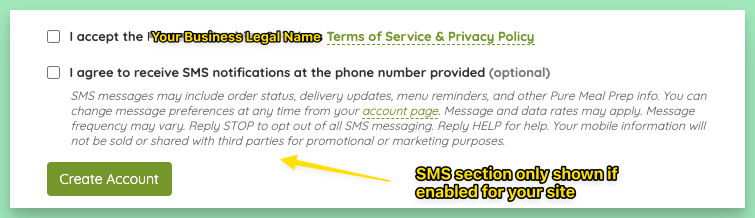
Image #2

- in addition to the footer link, the TOS page is now also linked by the Place Order button and in all Confirm Order popups
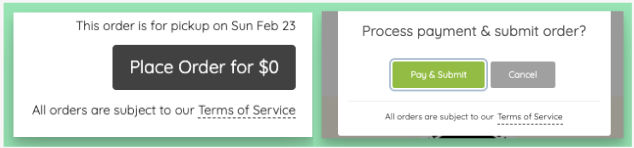
Image #3

Tip: Review the boilerplate policy on your site and update with any specific terms you may have for refunds or deliveries.

SMS

- multiple changes made to keep your business compliant with changing provider and privacy regulations:

  • TOS now shown and required for new signups
  • SMS-specific terms added and shown everywhere that SMS can be enabled/disabled
  • new customers are no longer opted in by default - they must check the checkbox manually
  • the "Subscribe All" feature has been removed (Sorry! I'm bummed by this too, but it's a quick way to get your number banned.)
- message prefs that have an email option will now still be shown on customer account page, even if your site is not using SMS or the customer has opted out of all SMS
Tip: To build your SMS subscribers, try sending a custom short-term discount code only through SMS. But first, tease the upcoming limited discount on your email list and/or with on-page messaging.


Checkout Popups

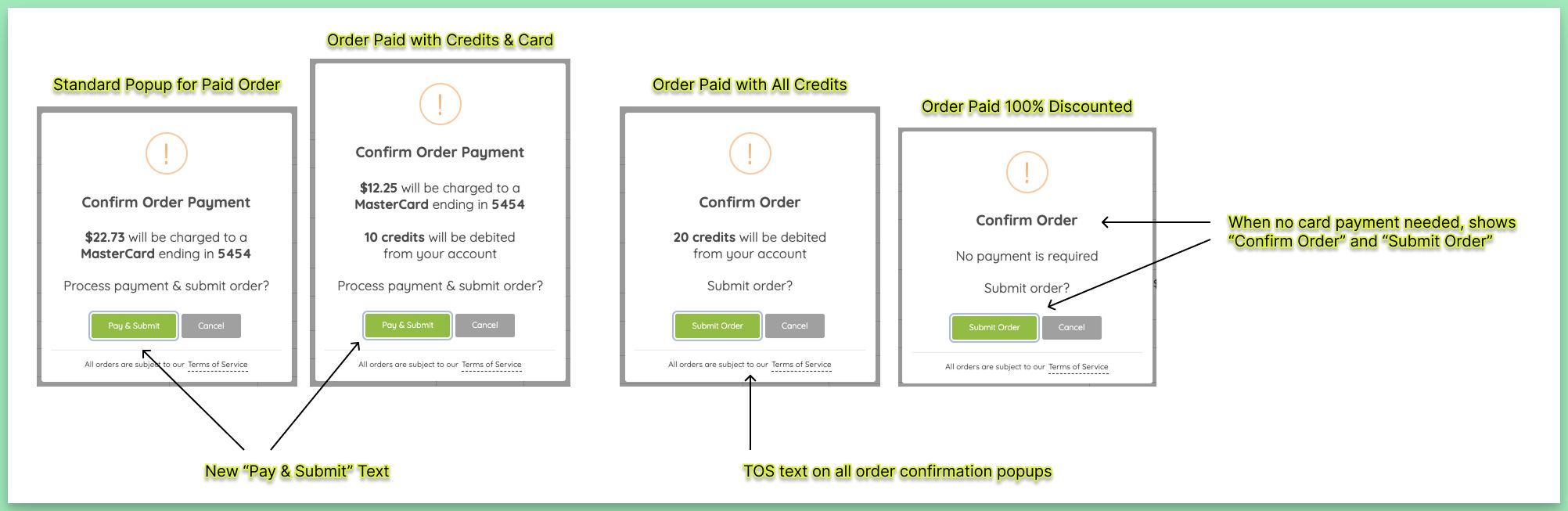
- improved text in order checkout/confirmation popups to be more clear
- added 3 new popups to cover all types of orders (previously, orders paid entirely with a discount or credits would not show a confirmation popup)
- now show actual credits amount to be debited, when used
Image #4

Tip: If you have credits enabled AND have a global service fee enabled, consider setting the new "Waive for orders with $0 subtotal" flag on the fee. This will allow customers with credits (and no active meal plan) to check out entirely with credits.


Misc Improvements

- added new buttons to recipe edit page: delete all “recipe” items, delete all “single” items
- improved the html editor used on admin settings and page content

- HTML settings no longer show their value directly on the settings page

- meal modal automatically closed when using keyboard to navigate from order page to prior page
- toast style alerts now show on top right of page instead of center
- disable customer feature now also processes relevant discounts - if sole user on a discount, deactivate the discount - if on a discount with others, leave active but remove from the discount

- new icon + text for delivery date edit button on menu edit page
- plan job schedules now shown on menu edit page (even for credits-style plans)
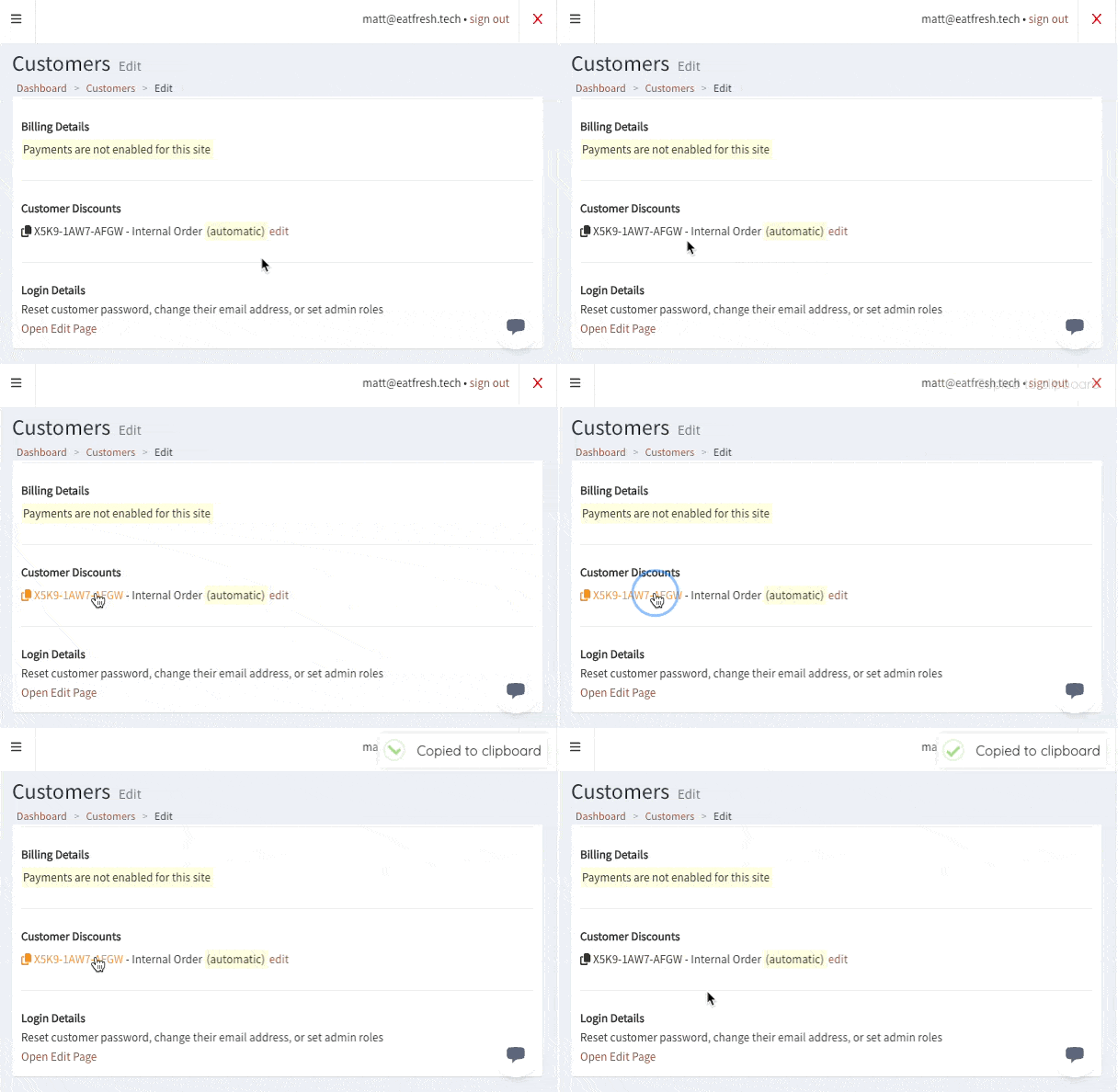
- on customer profile in admin, show all discounts tied to user and if automatic or not + link to discount
- new clipboard copy for discount codes: on customer account page & on customer profile in admin
Image #5

- portions count now shown on Meal Components dash so it’s easy to spot invalid components with no portions
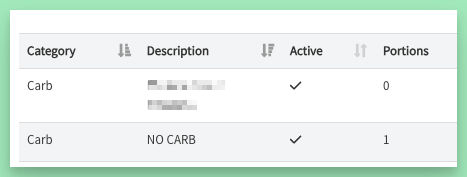
Image #6


Misc Fixes

- fixed a display helper on recipe portions that incorrectly rounded to 2 decimal places instead of 4
- fixed an issue with meals retaining “included meals” for categories that don’t support them
- fixed an issue with the submit order button text sometimes not reverting to show correct $ amount when an order is started, then canceled - fixed an issue with the image select in meal edit that sometimes showed 2 select fields - fixed an issue with credits-styles plan where plan renewals could fail if no active menu was found

- fixed an error that occurred when deleting the first portion in a list of multiple portions for a meal component

- fixed some link and hover styles
← PreviousJan 2025 Update
Next →March 2025 Update