April 2024 Updates
Here's a roundup of changes we deployed in April!
New! Auto Email Report
Improved! Changes to admin dashboard layouts
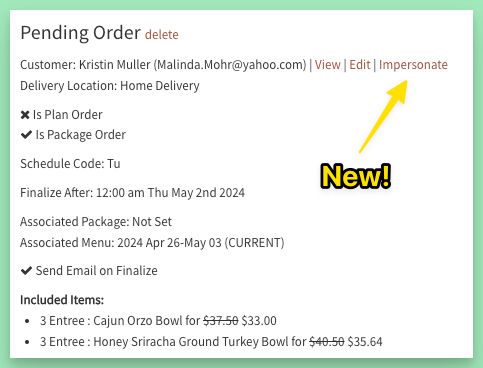
Improved! Quick access to impersonation link
From any pending order, click the Impersonate link next to the customer name. One click will log you in as the customer and take you straight to the order page.
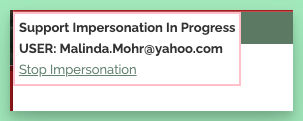
Make any edits needed to their order, then click Stop Impersonation to be returned to the view of their pending order in the admin.
Other Updates & Fixes
- Changing locations on delivery confirmation was not resetting the orders shown automatically - this is now fixed.
- Fields for secondary address & delivery instructions were dropped from the delivery confirmation page with one of the recent optimizations. Whoops! These have been added back.
- Fixed an issue with labels that affected view for single order labels & single meal labels.