We've made a few improvements to the label reports!
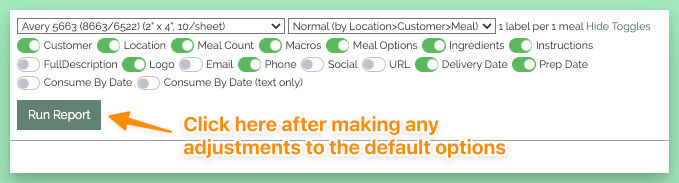
1 — When running a labels report for a specific week's menu, the report page will now wait to load data until you make your selections and click the Run Report button.
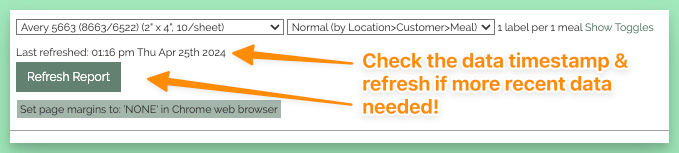
2 — Once the report is loaded, it will display a Last Refreshed date. To update to the latest data, simply click the Refresh Report button.
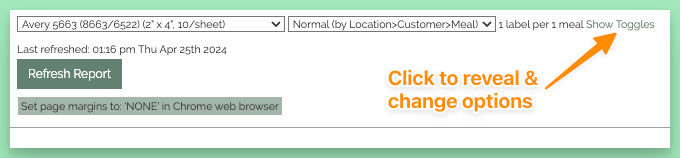
3 — Selection toggles are automatically hidden after running the report. Need to make additional changes? Click the new Show Toggles link to reveal them.