SMS - cost savings & loads of management improvements
We've been hard at work making updates to our built-in SMS feature that will save you money and make management even easier than before.
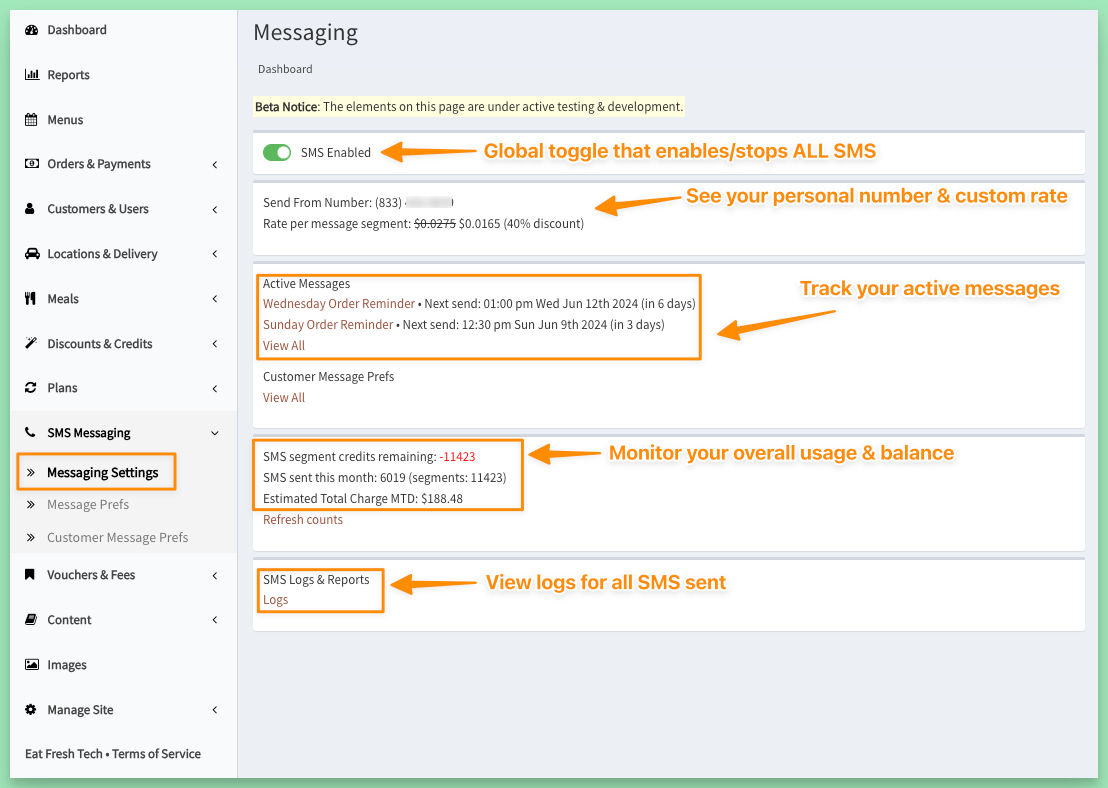
1 - New SMS messaging dashboard page
- Global toggle to enable or stop all SMS for the site
- View your personal send-from number & custom SMS rate
- Track your active messages
- Monitor your usage across all message types
- View logs for all SMS sent
2 - Automatic non-GSM character replacement on messages (30-50% cost savings!)
This is an invisible change, but you may see it reflected in reduced costs going forward.
As you know, an SMS message is composed of "parts" or "segments" - and long messages are split into multiple parts. Carriers charge per segment, and this cost is passed on through our provider and on to you.
An easy way to accidentally double or triple the number of segments used for a simple (even short) message is to use "non-GSM" characters in your message. Unfortunately, many phone keyboards "helpfully" insert these automatically (e.g. "smart quotes") and they look so similar you probably don't even notice. Since these non-standard characters require additional encoding on the carrier side, they often result in extending a 1-segment message into 2 or 3 segments.
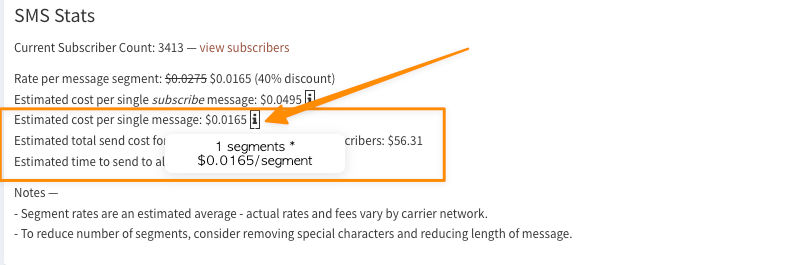
We now check for over a dozen of these and replace them automatically, reducing an unecessarily extended message back down to fewer segments (often back to 1).
This replacement is done whenever you update an SMS message, and you can still check the estimated segment count in the Stats section to verify the number of segments used.
3 - Improved handling of carrier-side opt-outs
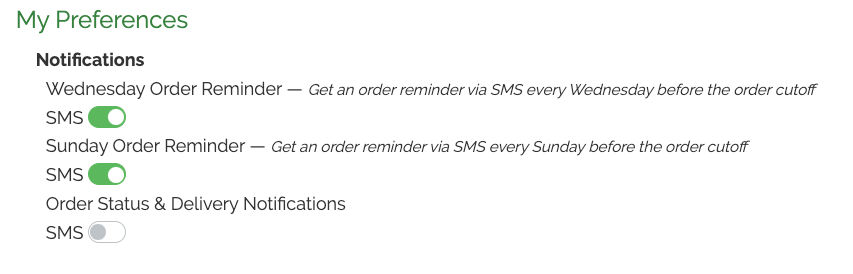
As you know, customers can easily manage their preferences for any messaging you send through their account page:
However, they can also block all SMS from you by replying to any message with STOP.
We now check for these opt outs and have updated messaging to account for it:

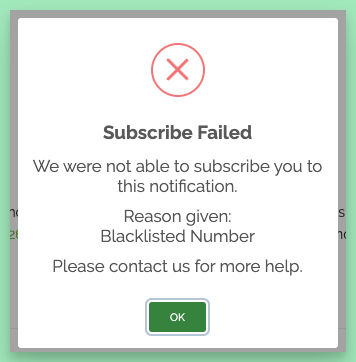
Customers that have opted out in this way will not be sent ANY messages, even delivery confirmation, and will not be subscribed to any new messages you create.
4 - Improved safety controls & visibility on running messages
If you have a large subscriber list, it can take a while to complete a bulk message send. To help avoid extra costs by sending duplicates of bulk messages, new safety controls have been put in place:
- If a bulk message is running (either a recurring message OR a Send Now message), no other messages can be started. This is a global check across all your messages.
- When you use the Send Now option, the next send date is set to the current date to reflect the change (and prevent attempting to start a new send while the current one is running)
- If Send Now is used on a recurring message, after the send has completed, the next send date will be updated to a week from the current date
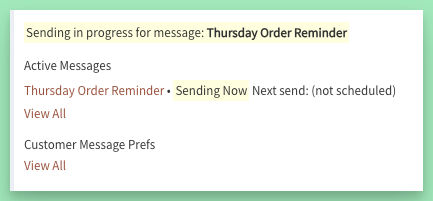
- Sending status is now shown on the message being sent and on the new message page