June 2025 Update
Highlighted improvements and fixes from the prior month, including updates to Images, Editable Content, Integrations, Packing Slips, Banner Messages, and more...
Site Images
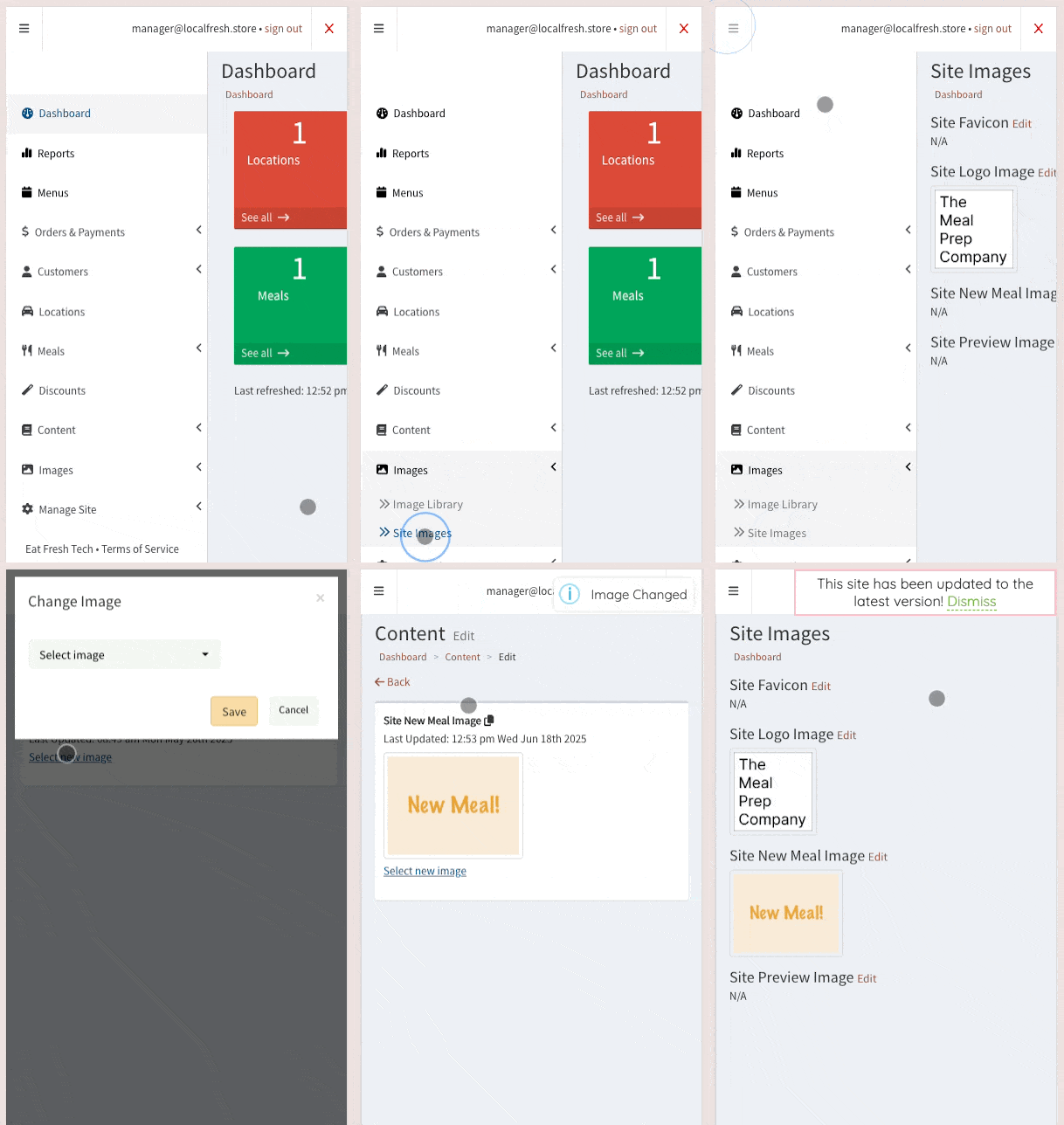
Got a new logo? Want to swap the image on the About page?
You can now edit any available site images from the new dashboard page, with just a couple clicks:
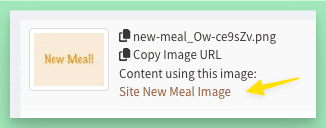
You can also see if images are used by any Content directly from the Image Library:
Editable Content
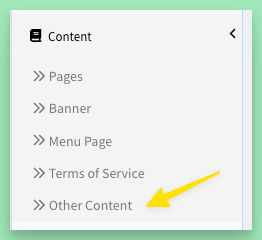
Most editable content is already available for edit on dedicated pages (like Terms of Service, or Menu Page). You can now also view editable content via the new “Other Content” page:
New/Updated Integrations
Using Google Tag Manager? It will now send these new events: pageView, checkoutButton, checkoutComplete. Simply add your “GTM” tracking id to the “Google Tag Manager Id” Setting and toggle on to start sending events.
Other integrations, now available to add/change from Settings:
Facebook Pixel
MailChimp Popup
Packing Slip Customizations
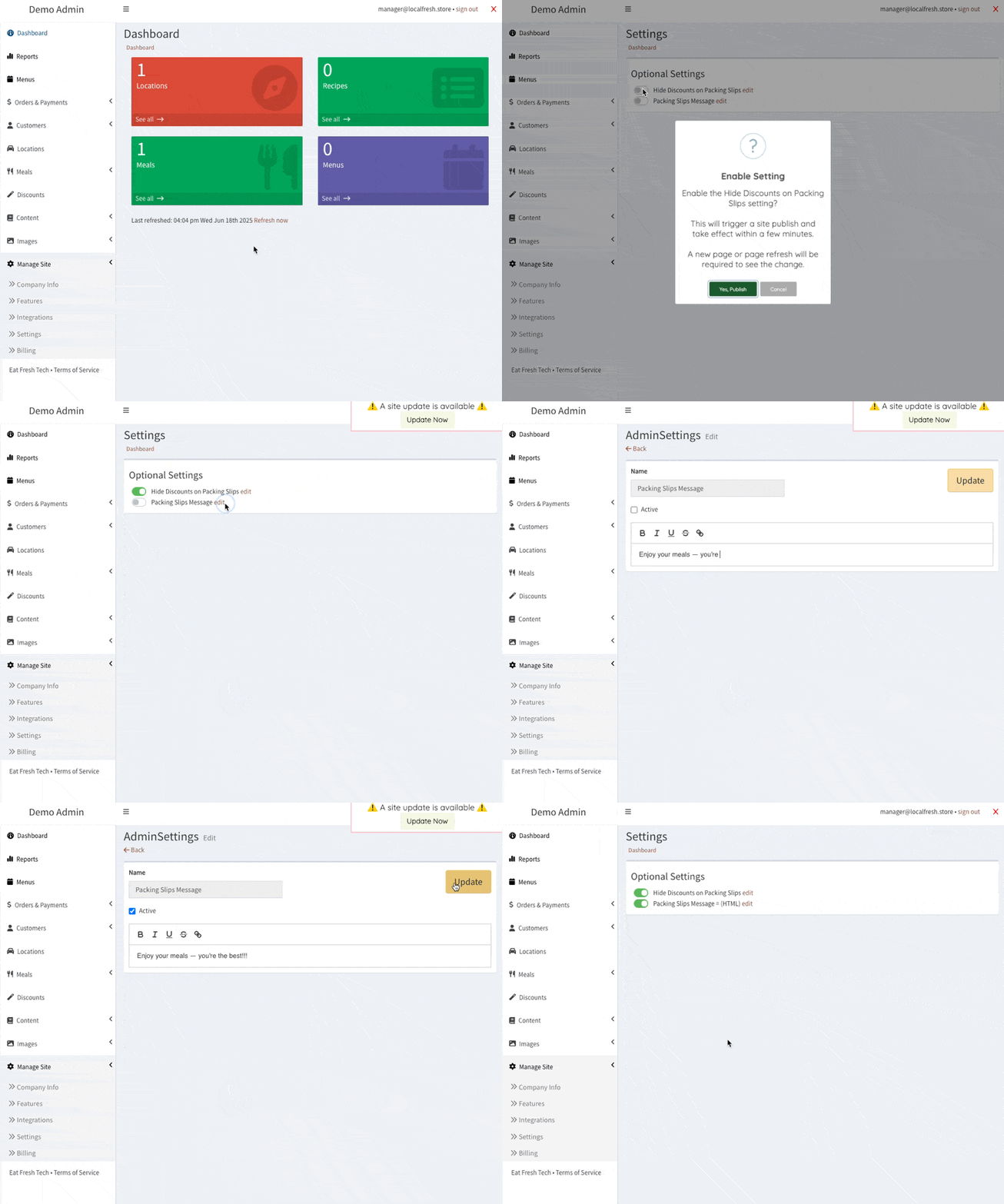
Want to customize the message shown on your packing slips? Check out the new setting for these “Packing Slips Message.” You can also choose to hide the discount from showing, if desired.
Quick Close Banner Message
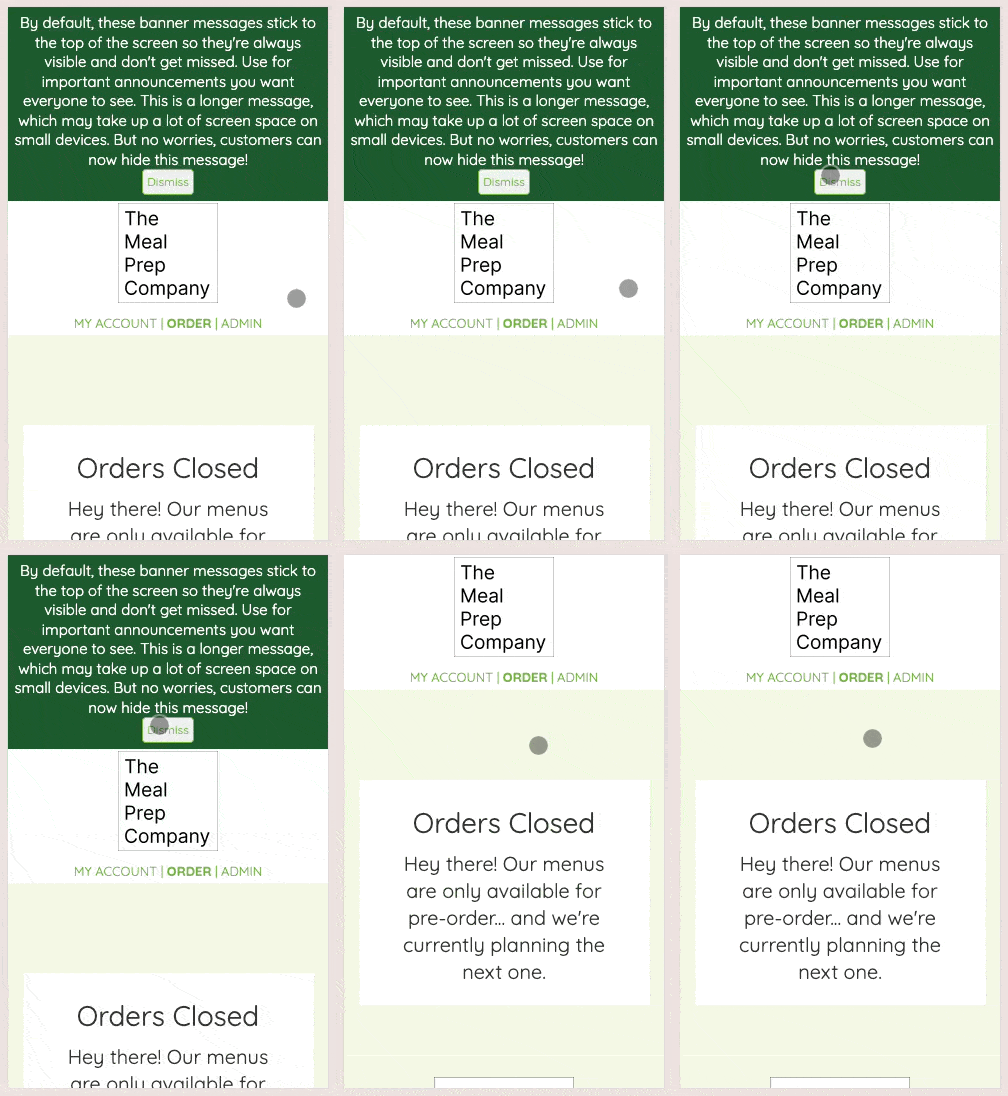
By default, these banner messages stick to the top of the screen so they're always visible and don't get missed. Which is great, except for users on small devices when you have a long message…
To solve this, I’ve added a Dismiss button that will temporarily collapse & hide banner the message for more menu viewing space, resetting on the next page load.
Fixes
the “Site Update Available” notice will not remain visible until the page is refreshed
fix “Dismiss” banner button showing on desktop not just mobile
fix date changed check on menu edit