Image Updates
We've made a few minor updates to the Images page to speed things up and improve how you view and manage photos. In this update, we'll walk through those changes.
1. Toggle Buttons
To speed up the page, we've limited the initial images returned to the 10 most recent, and added a few more options to filter what you see on the page.
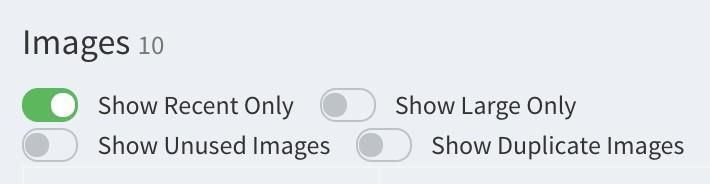
Show Recent Only - on by default; uncheck this to show all images again
Show Large Only - will limit images shown to only larger sized ones
Show Unused Images & Show Duplicate Images - use to find and prune any unused or duplicate images
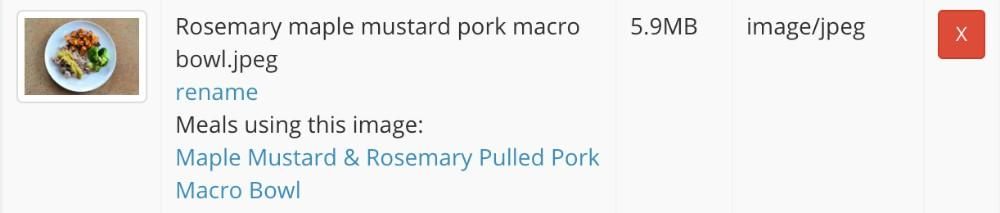
2. Images in Use
All images will now clearly show where they are in use


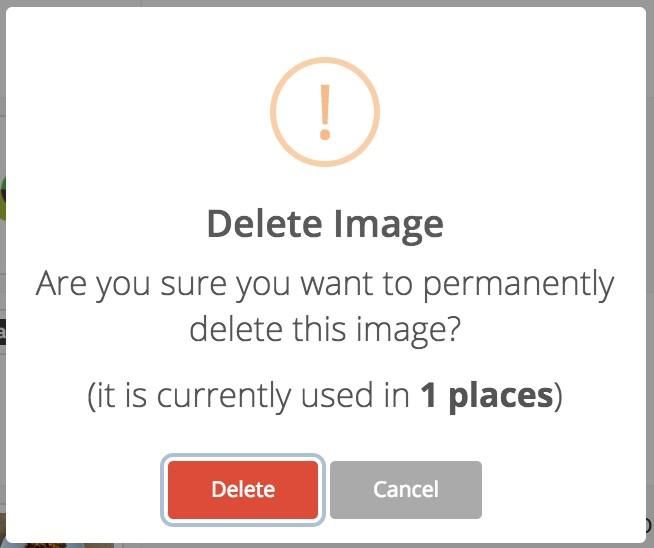
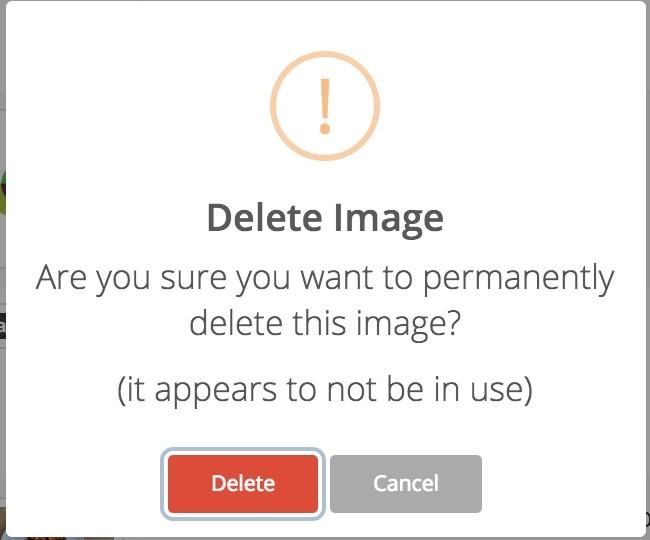
3. Delete Confirmation
We've improved the confirmation that is shown when you delete an image. You'll now get a clear indication of whether or not an image is in use.
Okay, that's it for now! More updates to image handling is in the pipeline - including automatic scaling of high-resolution images to the appropriate size for various devices.