How to update your weekly SMS reminders
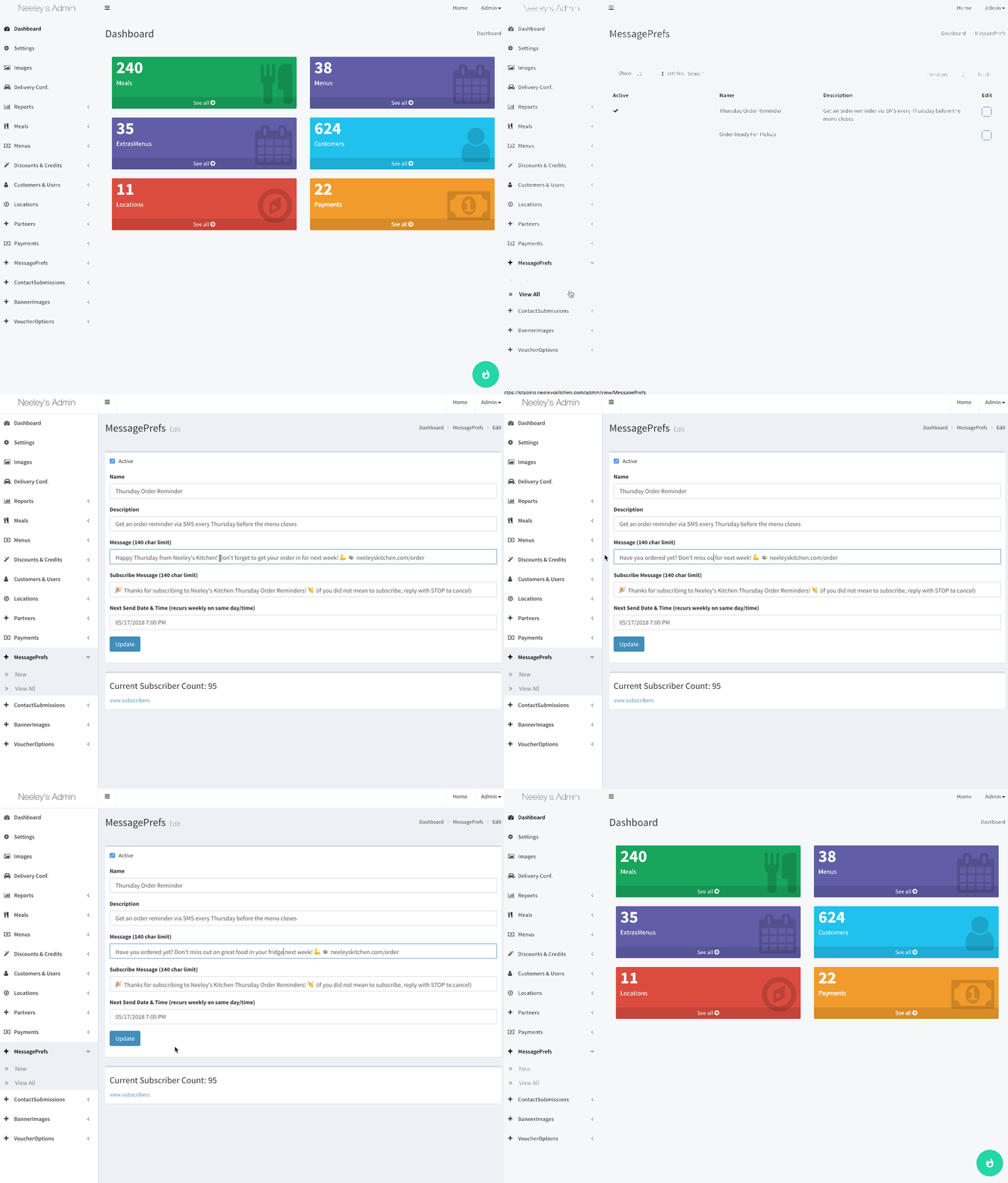
Have SMS reminders set up? Did you know you can customize the message each week?
It's easy - just go to the Message Prefs tab in your Admin, select the notification to edit, update the Message text, and Save.
You can update any time prior to the current week's delivery time.
Some suggested ideas:
- highlight one of your current or new meals
- call out an ongoing special
Whatever you do, keep it classy and fresh... just like your food. 😇
SMS reminder notifications are a Premium add-on