Delivery Confirmation
We've made a few improvements to the Delivery Confirmation page. Here's what's new:
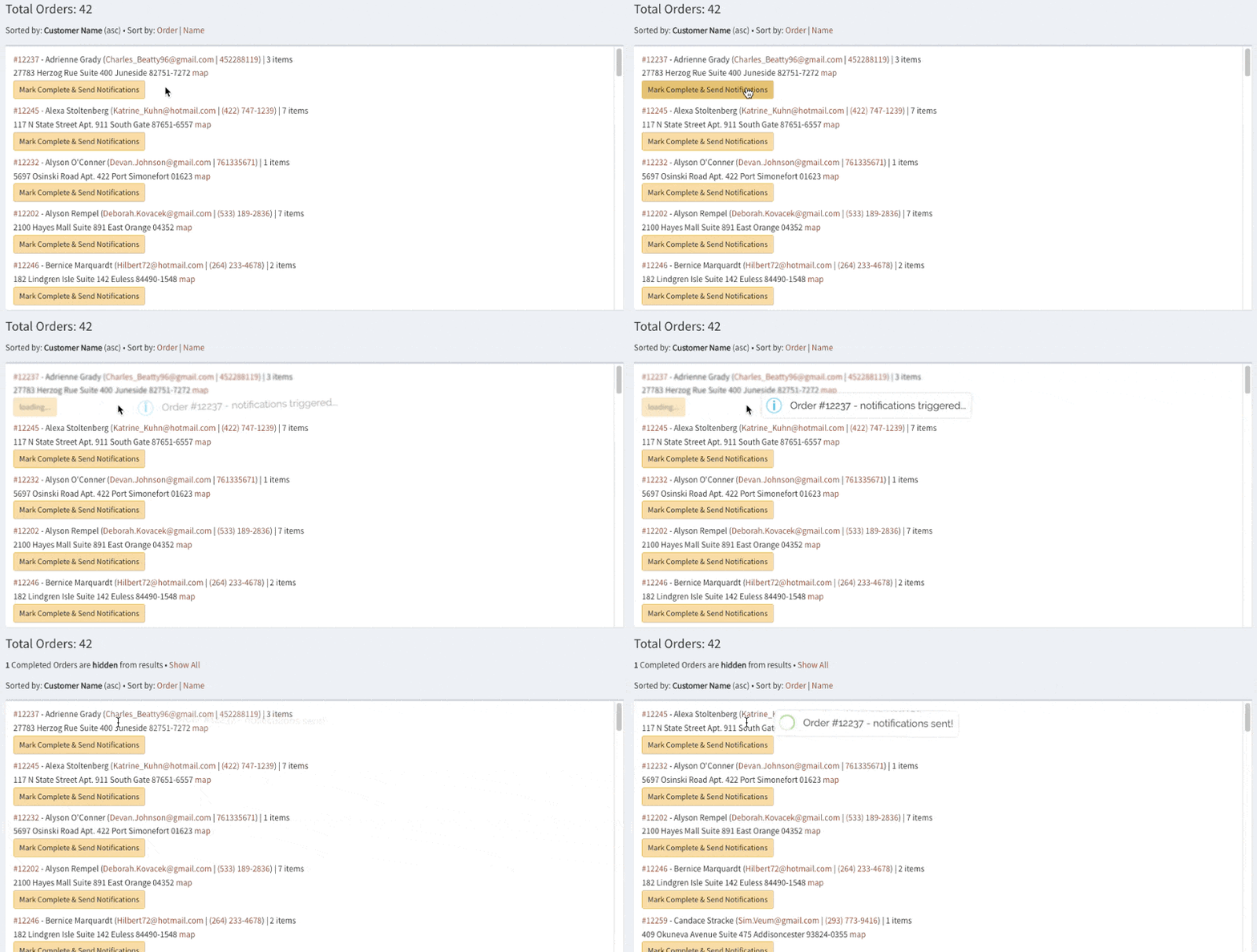
1 — Once triggered, notifications run entirely server-side and will complete even if you close the browser window. As long as you see the alert that notifications were started, you're good to go!
2 — The "notification sent" flag has been split into two, so you can see individual results of SMS & email notifications for each order (in case the customer has opted out of one or the other).

3 — Whether you're completing orders one at a time or using the bulk actions, the UI now displays a blur effect on the orders being processed. Handy for seeing what's happening!
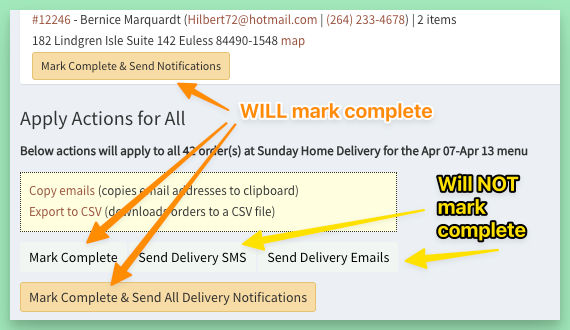
4 — You can now send confirmation emails without marking the orders completed, as these 2 functions have been separated.
To mark an order complete, use any of the buttons that include "mark complete" as part of the text.